Showing posts with label NOKIA S40 TRICKS. Show all posts

Aug 19, 2013

→ PLAY MP4 VIDEOS 360p IN LOW END JAVA MOBILES (TESTED ON S40)-19 AUGUST 2013

This is a tutorial focused on how to play mp4 videos 360p in low end java mobiles (tested on s40)
Requirements:
Any Windows OS
Format Factory click here
Any s40 device
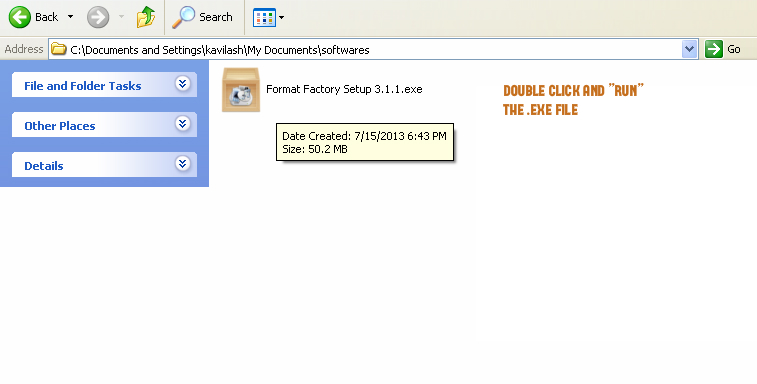
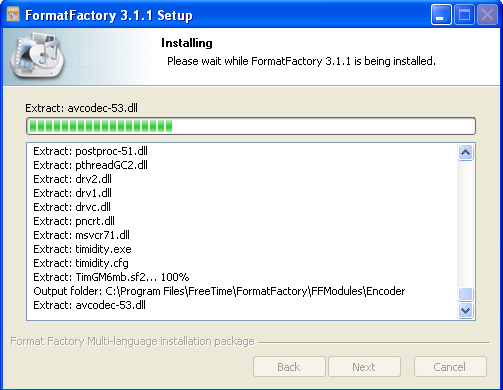
the .exe will extract the files and start installing in your pc
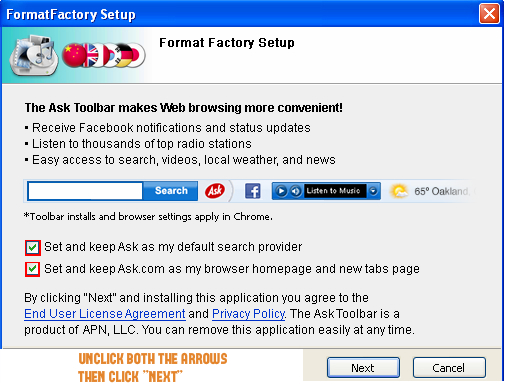
then the software will ask you to install ask toolbar plugins unmark and click next
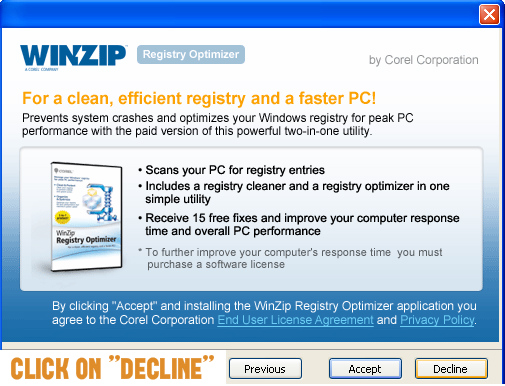
it will ask you to install winzip click on decline
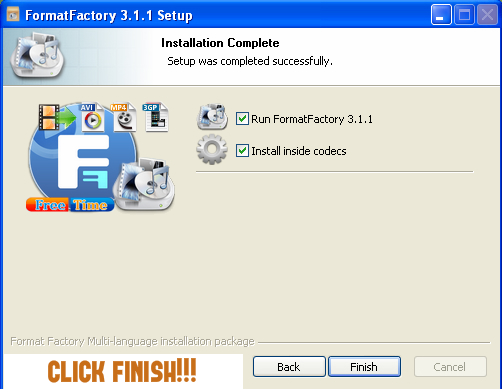
now installation is completed click finish
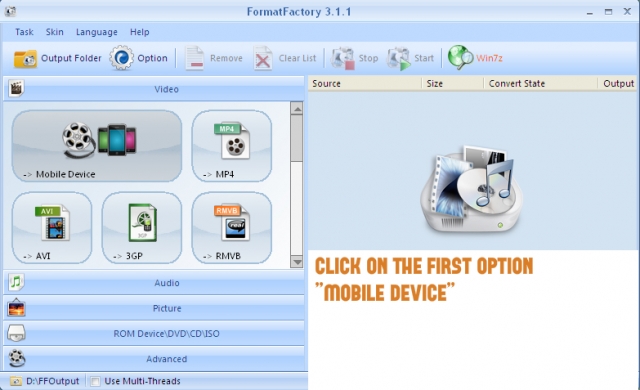
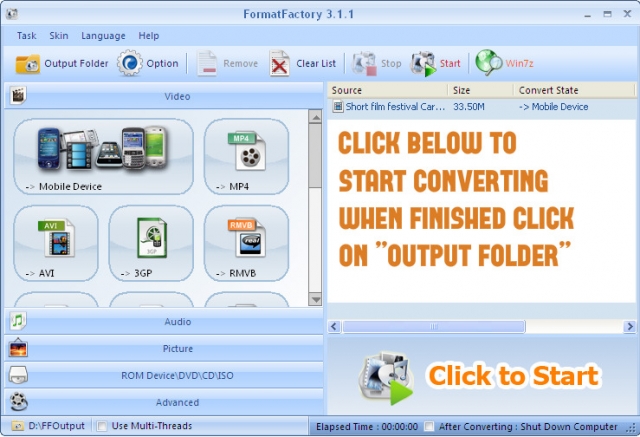
this is the home screen of the software click on the first box mobile device
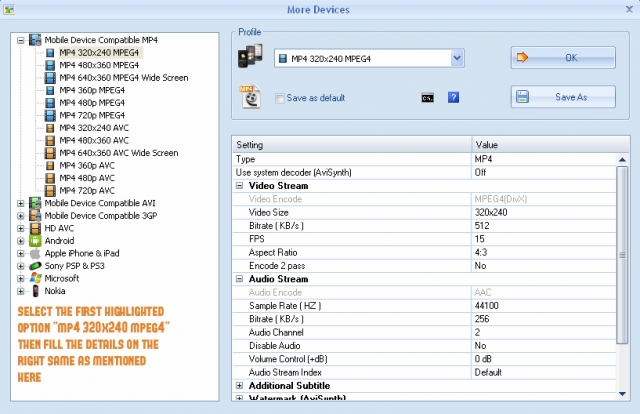
then you need to choose the first option mp4 320x240 mpeg4 and add the following details on the right side
video size: 320x240
bitrate (kb/s): 384/512/768 (more bitrate larger size and better quality)
fps: 12/15
aspect ratio: 4:3
sample rate (hz): 44100
audio stream (kb/s): 256
then click ok thats
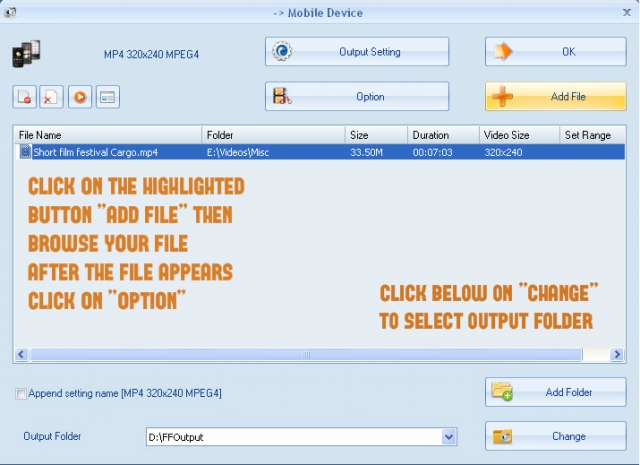
follow the next step as shown in the image
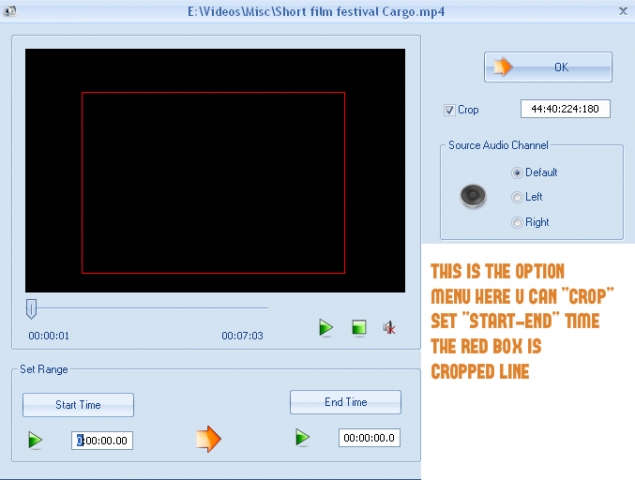
this is the option menu follow the instruction and click ok
the last step just click on start
the mp4 file that didn't work in your device will now start working.
this was focused only on low end mobiles.
but there are many otherformats which you can customize and convert depending on your device.
it has an image, audio converter, dvd ripper, audio and video joiner
all for free
no hidden cost
no trial period
just complete full version and the best free converter out there
hope this helped you

→ INCREASE YOUR JAVA S40 NET SPEED [SIMPLE WAY]-19 AUGUST 2013

Hello everyone, I met high speed internet in my s40 phone yesterday and I would like to share that with you all.
This is just a simple way.
Everyone wants to surf net in your PC, but belief me you will forget that.
So, here it goes, Connect your phone to Nokia PC Suite(in case on Nokia),Samsung Suite(in case on Samsung)

Since I tested it on Nokia and Samsung phone. So, I am talking about Samsung and Nokia
You can try and tell if anyother Company phone works.
Ok, after connecting your phone, go to connect to internet and chose the uncommon settings for your phone for connecting to net.

My was Aircel(Assam) and I tried Aircel Chennai settings(in pc suite) and that worked with high speed net.

In case another net settings doesn't work, then try with suitable settings.
Now, after getting connected. All you have to do is surf net with your s40 phone and experiencing high speed net. I didn't met high download speed with that but, try with yours.
so, best of luck. Enjoy if that work

Jul 31, 2013

→ TUTORIAL TO USE .PROVE FILE ON S40 PHONES [ GPRS SETTINGS ]


Here is a Detailed Tutorial on How to use FREE GPRS settings on your s40 Device ( Nokia ).After blocking all older GPRS tricks by the service providers, We are giving you tricks based on GPRS Configuration. All the older tricks were worked by tweaking the Host on the connection between Application and server. But now the Service providers started to monitor the connection. They now blocks the connection which having free server as Host. Now all the tricks based on Host are not working. But the FREE IP is not blocked by the service providers. So you will still get the PROXY Tricks working fine. Now we concentrated on the same proxy tricks to give Working free GPRS trick even with Handler Modded Apps.
Note: If you have any other handset other than NOKIA's s40, then you don't need to read this tutorial.
Why only S40 ?We already said that new tricks based on Handler mods are working only by using PROXY tricks. Every phones other than nokia's s40 can create Manual Access Point with proxy and port. But s40 phones can't create manual settings with proxy in Access point. It can define only access point name and Packet Data access point. So we have to use a .PROV file in nokia s40.
How to use PROV file in s40 ?
How you receive settings from your Service Providers ?
When you request for gprs settings to customer care, they send you a prov file ( via air ) which defines all the access points, home page, proxy, port etc..
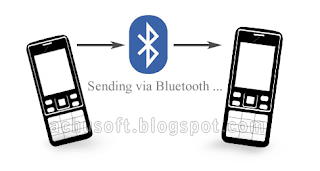
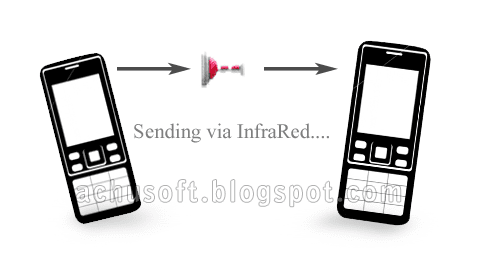
So when you use PROV file in your phone, you cant just copy paste or download it from the internet. You should transfer it via AIR. You can transfer it either via Bluetooth, Infrared or as MMS.
Step #1 :Download .PROV file to a phone or your PC.
Step #2 :Now send that downloaded file to Your Phone via Bluetooth.
Step #3 :Now you will receive Configuration settings on your Mobile. Just save it and set that as default settings.
You can do it going to Settings » Configuration» Active Default in all Applications.
Done !
Tutorial at a Glance :

Prov files can be send from one phone to another via Bluetooth

Prov files can be send from one phone to another via INFRARED

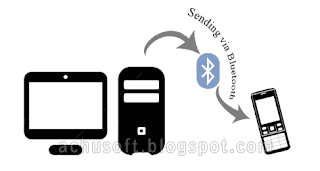
Prov files can be send from PC to your phone via Bluetooth or INFRARED
Hope you understand something about usage of PROV files.
If you are having problems, feel free to ask it.


Nov 29, 2012

→ HOW TO SWITCH OFF MOBILE PHONE BY SMS (DONT MISUSE)


Do you want to switch off others mobile phone by SMS (Short Message Service)???
1) Take a multimedia phone,It is must because these types of phones will never off with this SMS
2) Then Go to Menu>>> Message >>> Write new message
3) Type 51 commas (for some of the phones or phone OS versions you need to use 79 commas instead of 51) [ ' ] like below(These are inverted commas)

In this trick, After sending this SMS, your friend will get your message usually..
He will Open your message. After the clicking message open button, your friend's phone must be switch off or restart. Some case , he can see main page of your message, but while he try to press any other button like 'down arrow' for further reading or to get sender details , he cant do that work. because his mobile phone must be switch off or restart.
You must care to sending SMS like this. because this type of activities is like to abusing him. That is illegal.
So take care..

Nov 19, 2012

→ HOW TO BYPASS NOKIA'S DRM [COPY .JAR FILES TO ANOTHER PHONES]

How to Send java Games and Apps. from Nokia phone to another Nokia phone wihout showing Error
[ Bypassing Nokia's DRM ]
If you download a Game or Application on a Nokia phone and try to send the software to any other phone, you may see that the game or software will not run on the other phone. This is Due to Nokia's DRM ( Digital Management Rights ). They are doing so to avoid unauthorized copying of Softwares.
Today we are giving you a simple trick to Bypass Nokia's DRM.

Bypass Nokia's DRM from your Pc :
Simply Download the desired game or application froma Pc and send it to your phone via USB,bluetooth or Infr-red.
Bypass Nokia's DRM from your Phone :
First of all You need to Install UC Browser to your phone.
Just Click on the Download link of the file.
Then you will get a new page asking How to Download
From that Press Save ( Dont press Install )
Then it will ask where to save file
Just Select some location and press Download Next procedure is Important
After Downloading finished, go to the Downloaded location.
You will see a unsupported file there as something like name_jar
Press options > Rename and Just change _ to .
That means your new name should be name.jar instead of name_jar
Done !!
Now you can Install it on any phone without getting error.

Jun 13, 2011

USE ADDRESS BAR IN DEFAULT BROWSER IN NOK2700 TYPE S-40

Many tricks are working in default browser & we are not use it in nok 2700 & 2690 type s-40 mobiles which has a opera browser. Lets tricks as under.
First open music player go to option-download-address bar where change the rtsp:// in to http:// and enjoy

ONLINE AVI TO 3GP CONVERTER FOR S40 & OTHER MOBILES

Hi members as we knw many of videos available in internet are in avi..,...
so s40 n other mobiles cant watch it bt now ur problem is solved. here's online 3gp converter easy n fast just paste direct url of video or upload video from storage card then hit convert wait for some time n keep reloading the pg till u get the direct 3gp link n den download ur avi in 3gp
AVI TO 3GP
In ss m downloading 5.2mb video so i waited for 30 second reloaded thepg n i got the direct download link of 3gp in 1st attempt bt if ur video size is longu hav to wait for more time n ur reload attempts wil also increase bt m sure ul get the success in 4-5 attempts so hav patience

INSTALL MULTIPLE VERSION OF JAVA APPLICATIONS IN YOUR MOBILE

Now you can install Multiple version of any Java Application on your s60 3rd Edition phone. Follow these steps:
1. Open the . jar file with Decompressor like WinRar/winzip.
2. Open the Folder META-INF
3. Copy the MANIFEST.MF file to PC
4. With a text editor like Notepad, modify the MIDLET NAME /DESCRIPTION;
for example, if the orginal name is 'Opera Mini' change the nameto 'Opera Mini 1' (You can optionally change other options too like vendor or data-size.)
5. Save the file.
6. Rename the original MANIFEST.MF file to MANIFEST1.MF (FOR BACKUP )
7.2011networktricks.blogspot.com
Put back the MODIFIED MANIFEST.MF to the folder META-INF
That's it ! Enjoy!!!

Jun 10, 2011

→ MINIMIZE AND SWITCH APPLICATIONS IN NOKIA S40 PHONES INSTANTLY

Its been a dream for every s40 users to minimize java applications in their handset, especially for gprs users who need to be online in chat clients while surfing the net and so on..
But due to the inbuild abnormality in the architecture of the phone we are unable to do so..
I also searched the www for a working trick to minimize apps in s40 and after a long research it ended up with a website which allows its registered users to create project by uploading reqired applications and combining them together to forma common application in which we can minimize and switch between selected applications.This facilitates the mob users to switch in b/w the applications pre-selected.
http://multime.org/eng/

How to work with multime:

1. Register at the site and login

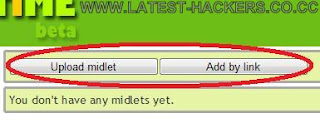
2. Add your midlets by selecting the my midlets from the rear left hand side of the resultant window(you can either select apps from your system or from an external source by clicking add by link option)

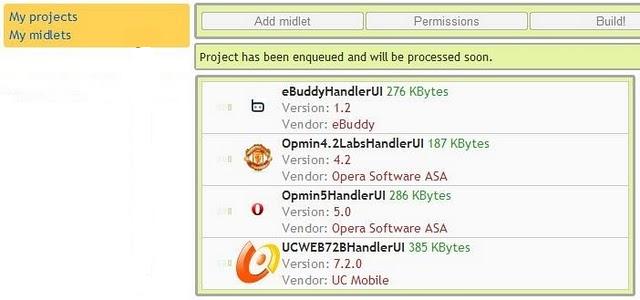
3. After uploading the required midlets,come back to themy projects and create a new project there

4. Click on the Add midlets button and check the required apps there

5. Select build to compile them and get the output jar file ready to download

6. After downloading theapplication, as you launch it, there will be many
midlets you added in ur project, and you could use application individually, and all running simultaneously.

7. By default you could minimize application by long pressing * which could be changed

8. To change the key, minimize all apps then press options, here again select options and in default you will find key 42. Press assign and press your desired key for minimizing. Below it, select the key press time in milli seconds.

9. Press options and ok.

Enjoy It

MINIMIZE APPLICATIONS IN NOKIA s40 PHONES

Good news for all nokia s40 v5 and 6th users.
Yup! we can now minimize java applications or send them to background.And can almost run 5 applications at the same time

PROCEDURE:

1] Open the jar application with WinRAR via PC

2] Goto META-INF>>
MANIFEST.MF
3] Edit MANIFEST.MF using notepad and add followings lines.

Nokia-MIDlet-auto-start: no
Nokia-MIDlet-no-exit: true

4] Save it and drop in the same folder
That's it. Now whenever you press red button on your phone instead of closing the application goes to background.
eg.

Manifest-Version: 1.0
MicroEdition-Configuration:CLDC-1.0
MIDlet-Name: Periodic Table
Created-By: 1.4.2_07(Sun Microsystems Inc.)
MIDlet-Vendor: NOKIA
MIDlet-1:periodictable 2.0, /Pt.png, Pt
MIDlet-Version: 2.0.1
MicroEdition-Profile:MIDP-2.0
Nokia-MIDlet-auto-start: no
Nokia-MIDlet-no-exit: true

Dec 26, 2010

CREATE YOUR OWN THEME IN S40 PHONES

Now follow the steps
stated below one by
one carefully.
Step1 : Make a copy
of any theme of your
mobile using
MobyExplorer and
paste it in a new
folder(any name).
Then change the
extension of the
theme from NTH to
ZIP.
Step2 : Open/select
that pasted theme
with the JZIPMAN . It
will show a list of
files with check
boxes. Now from the
option menu choose
SELECT ALL and then
press the EXTRACT
button. It will take
some time. After it
finishes, close the
JZIPMAN and go to
that new folder and u
will see many
images,some
tones,some
unsupported files are
there.
Step3 : Identify the
wallpaper, tone,
background image,
screensaves etc from
that folder which are
used in that theme.
Now u can change/
replace the objects
from that folder with
ur preferred images
and tones.For
example suppose u
find a JPG file named
menu_bg.jpg in that
folder which was
used as menu
background image. At
first copy the image
that u want to use
as background image
and paste it in that
folder. Now delete
the menu_ bg.jpg file
and rename the
newly pasted file as
menu_ bg.jpg
Step4 : With the
similar method
mentioned above,
replace any files in
that folder that u
want to change.
Remember one thing
that before deleting a
file u must not forget
its name, coz u have
to give same name
for the new inserted
file . Now delete the
old theme file (which
u have renamed as
ZIP) from that folder.
Step5 : Open JZIPMAN
and go inside that
folder. Now scroll over
all the files in that
folder and press the
select button on
every file. Note that u
will not see any
changes when u
press the select
button. After
finishing all the files,
open the option menu
and click on the LIST
button. U will see a
list of all files u have
selected. Now...again
press the option
menu and select the
PACK button. Then it
will show a path of
saving file. Change
only the.zip to.nth and
keep other names
unchanged. Then
press OK. It will take
some time 2pack.
After packing finishes
it will show an alert
like TIME REMAINS
XXX. Ignore that and
close the application.
Step6 : Now go 2that
folder and u will see a
new theme that u
have just made. U can
now use that theme
any time. .....Enjoy.....

Dec 21, 2010

EXCLUSIVE W0KING Trick *Nokia Blueto0th Hack

First switch on ur
blueto0th &
then type:
*#9990#
FOR GETING ALL TRICKS IN UR MOBILE WITH FREE send JOIN NALLAKUTTY to 09219592195

Do u Forget ur Security Code Of ur Nokia Phone?

Dial;
*#
732874826337373
8#
It Reset ur
Security Code to
12345.
FOR GETING ALL TRICKS IN UR MOBILE WITH FREE send JOIN NALLAKUTTY to 09219592195