Showing posts with label MOBILE TRICKS. Show all posts

Aug 19, 2013

→ PLAY MP4 VIDEOS 360p IN LOW END JAVA MOBILES (TESTED ON S40)-19 AUGUST 2013

This is a tutorial focused on how to play mp4 videos 360p in low end java mobiles (tested on s40)
Requirements:
Any Windows OS
Format Factory click here
Any s40 device
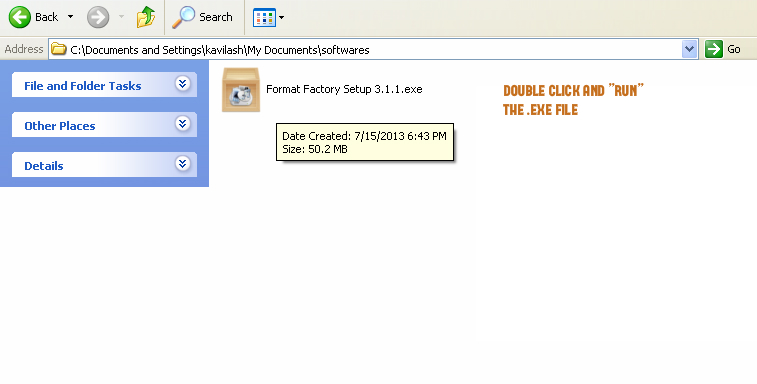
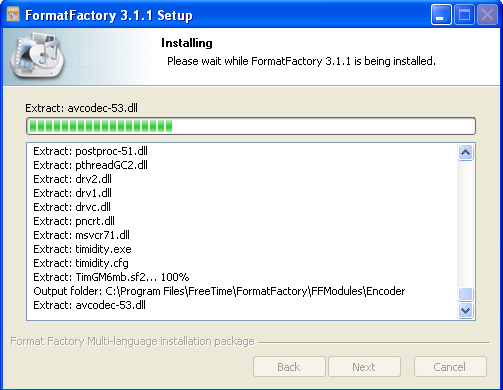
the .exe will extract the files and start installing in your pc
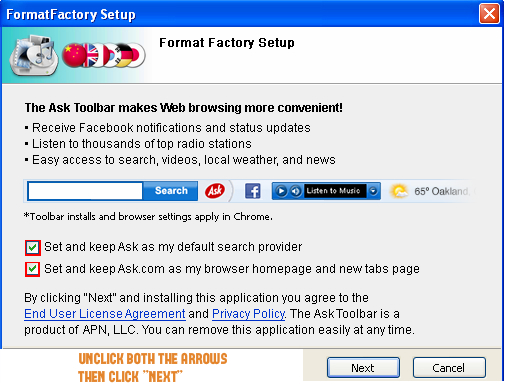
then the software will ask you to install ask toolbar plugins unmark and click next
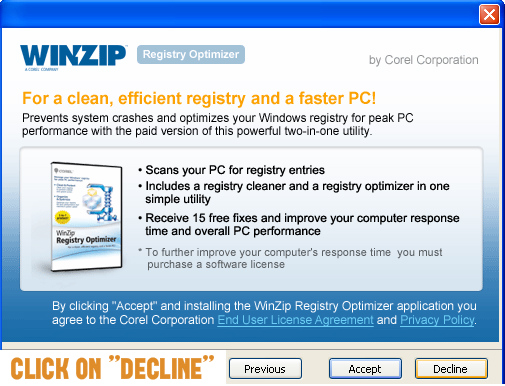
it will ask you to install winzip click on decline
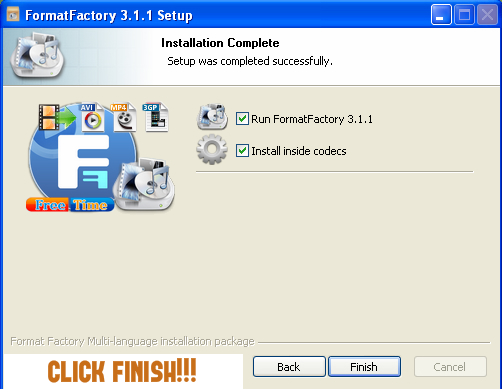
now installation is completed click finish
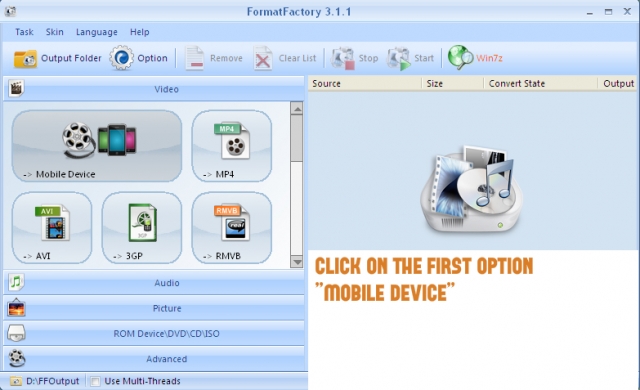
this is the home screen of the software click on the first box mobile device
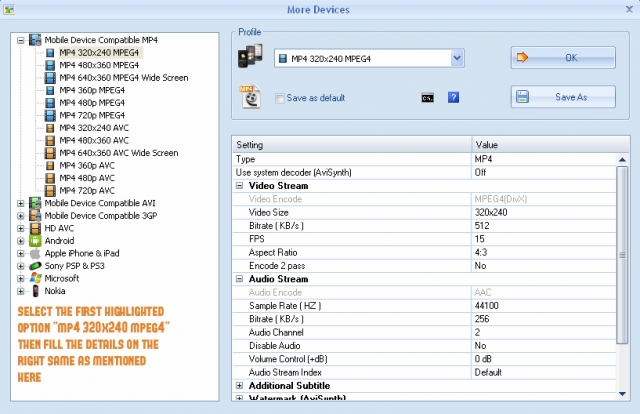
then you need to choose the first option mp4 320x240 mpeg4 and add the following details on the right side
video size: 320x240
bitrate (kb/s): 384/512/768 (more bitrate larger size and better quality)
fps: 12/15
aspect ratio: 4:3
sample rate (hz): 44100
audio stream (kb/s): 256
then click ok thats
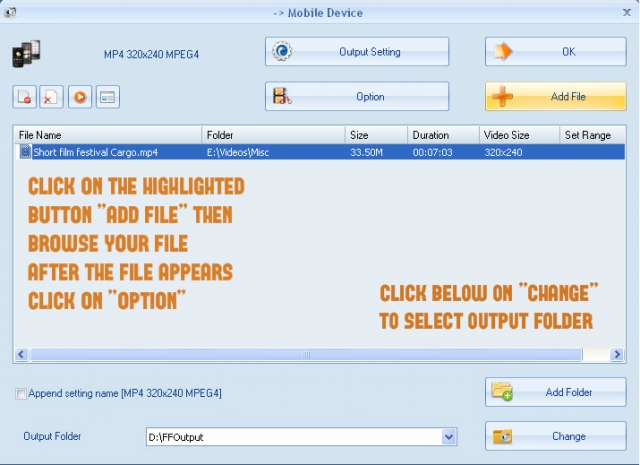
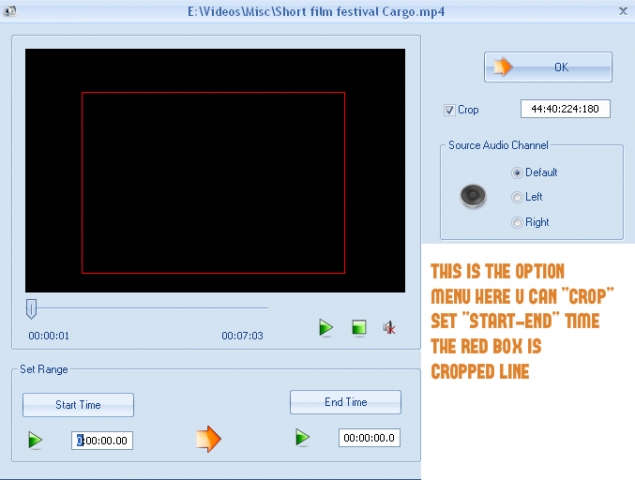
follow the next step as shown in the image
this is the option menu follow the instruction and click ok
the last step just click on start
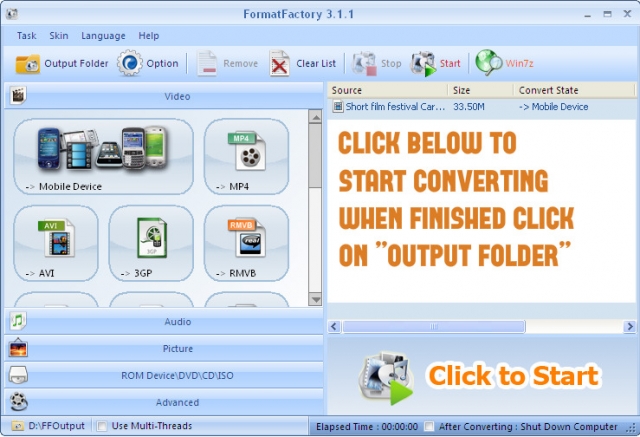
the mp4 file that didn't work in your device will now start working.
this was focused only on low end mobiles.
but there are many otherformats which you can customize and convert depending on your device.
it has an image, audio converter, dvd ripper, audio and video joiner
all for free
no hidden cost
no trial period
just complete full version and the best free converter out there
hope this helped you

→ INCREASE YOUR JAVA S40 NET SPEED [SIMPLE WAY]-19 AUGUST 2013

Hello everyone, I met high speed internet in my s40 phone yesterday and I would like to share that with you all.
This is just a simple way.
Everyone wants to surf net in your PC, but belief me you will forget that.
So, here it goes, Connect your phone to Nokia PC Suite(in case on Nokia),Samsung Suite(in case on Samsung)

Since I tested it on Nokia and Samsung phone. So, I am talking about Samsung and Nokia
You can try and tell if anyother Company phone works.
Ok, after connecting your phone, go to connect to internet and chose the uncommon settings for your phone for connecting to net.

My was Aircel(Assam) and I tried Aircel Chennai settings(in pc suite) and that worked with high speed net.

In case another net settings doesn't work, then try with suitable settings.
Now, after getting connected. All you have to do is surf net with your s40 phone and experiencing high speed net. I didn't met high download speed with that but, try with yours.
so, best of luck. Enjoy if that work