Showing posts with label SAMSUNG TRICKS. Show all posts

Feb 10, 2013

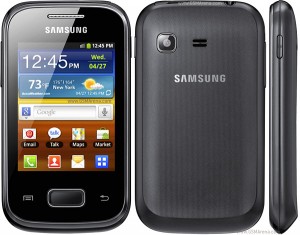
→ HOW TO ROOT AND UNROOT SAMSUNG GALAXY POCKET S5300-9 FEBRUARY 2013


If You Want To Root O R Unroot Your Samsung Galaxy Pocket
Then Follow Below Instructions.
=>> How To Root Samsung G alaxy Pocket ? <<=
*. First Download Update.zip For Samsung Galaxy Pocket
*. Copy Update.zip To SD Ca rd And Place It In /root
*. Turn Off Your Mobile
*. Now Press And Hold Home+ P ower+ Volume[ +] Buttons Until It Boot In Recovery Mode.
*. Choose Apply Update From SD Card
*. Select Update.zip
*. Select Reboot Now
*. Reboot In Normal Mode
*. Now Check In Application, If Your Galaxy Pocket Mobile Is Rooted Then It Should Be Superuser Icon In There.
*. Enjoy! Your Mobile Is Now Rooted.
=>> How To Unroot Samsung Galaxy Pocket? <<=
*. All Step s To Unroot Is Almost Same With root Procedure
*. Just Download Unroot.zip
Then Rename It Become Update.zip
*. If Update.zip From Root Process Still In SD Card Then Just Overwrite It.
=>> Download Support Files <<=
*. Download Update.zip For Samsung Galaxy Pocket
*. Download Unroot.zip For Samsung Galaxy Pocket
=> Note:- Do With Your Own Risk
Ta k e Ca re , Vi sit Us Da ily


Feb 3, 2013

→ HOW TO CONNECT SAMSUNG GALAXY Y TO PC FOR INTERNET-3 FEBRUARY 2013


As you Know me I m very Geek about technology and I love to use New Technology and suspicious to know their features. So long back I have lost my Nokia Mobile so I requested my family to buy me Samsung Galaxy Just because I want to use android Operating System.
NOTE:- Go to menu -> settings -> wireless and network -> mobile network and Click on Use Packet Data
So today i will teach you How to Connect your Samsung galaxy y gt-S5360 to PC for Internet.
Below steps to connect your Galaxy mobile for your PC / Laptops
=> STEPS
STEP 1 :- Download Samsung KIES and Install it on your PC.
STEP 2 :- Now Open Samsung Kies and Plug the Mobile USB to PC.
STEP 3 :- It will start automatically Installing Samsung galaxy Drivers and Check if "Phone USB driver" has been Successfully Installed.
STEP 4 :- Now Open Control Panel and Go to " Phone and Modems "
STEP 5 :- Click on " Modems" Tab andHere it will be showing your Mobile with your Model Number then Right Click on it and goto Properties .
STEP 6 :- Click on " Change Settings " tab and Click on Advance and Paste the below code.
AT+CGDCONT=1,"IP","airtelgprs.com"
Note :- This Code is only for Airtel Users other customer have to contact their customer care( Dial 198 )
STEP 7 :- Again Open Control Panel and Goto " Network and Sharing Center "
STEP 8 :- Now Click on " Set up a New Connection " and choose Connection option" Set up a dial-up Connection "
Dial Phone Number:- *99#
Username :- Airtel
STEP 9 :- Click on Connect.
Now Internet Connection is ready to use Just open your Browserand Use it.....
If you have any difficulty while connection your Mobile to PC Just leave a comment i will defiantly try to solve it as soon as Possible...!


Sep 30, 2012

→ MINIMIZE APPLICATIONS IN SAMSUNG JAVA PHONES


In java mobile phone we can notdo minimize of any application but, here is tricks, how to minimize the applications in samsung mobiles,. Go to Admin Settings by dailing
*#6984125*#
Then Go to Internals by using master key
*#9072641*#
Go to Java settings
Go to VM setting
Go to VM Mode
Now click on MVM Mode and choose MVm and user allow background.
NOw go back to previous screen by pressing back key .
click on MVM MIDlet max count (this is only if you want to be able to run multiple apps)
Choose the amount of apps you would like to be able to run at one time.
Go back by pressing back button click on MVM user End key option click on Hide pause.
Click on Save and ur phone will reboot automatically.
And now when ever u close ur app directly pressing red cancel button u will see option to minimize app.
Please dont try any experiment with other features. you may lost ur software.ENJoy GuYzZ